
Download Screensaver free – free Mac screensaver, entertainment tool, secure and easy
Overview
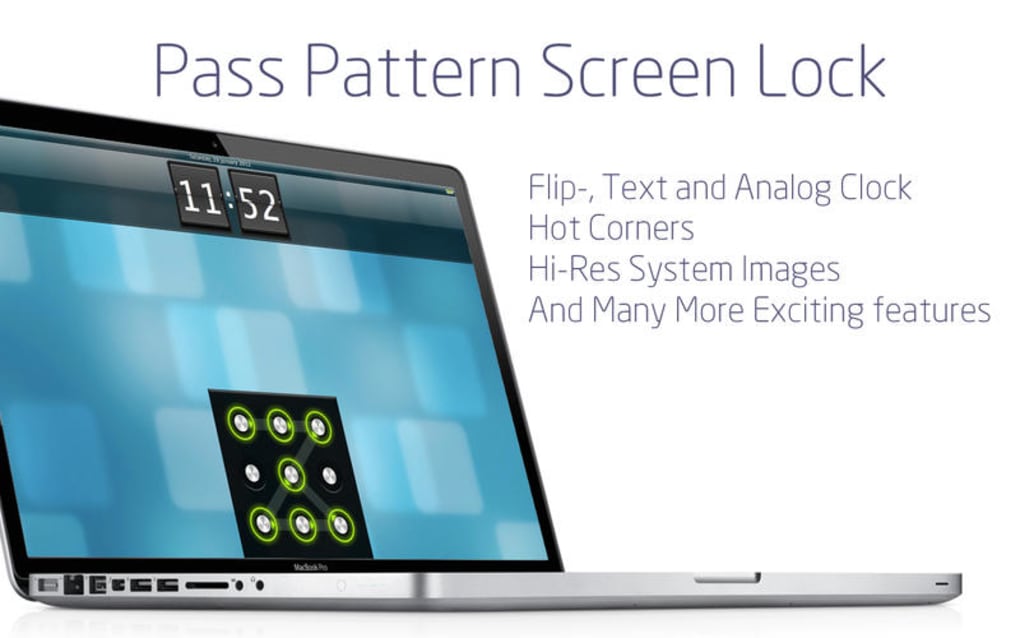
Screensaver free is a lightweight, no‑cost application designed exclusively for macOS users who love to personalize their desktop experience. Developed by Voros Innovation & Business Services Pty Ltd, this entertainment‑focused tool transforms idle moments into visual delight by offering a rotating library of high‑resolution animations, nature scenes, abstract patterns, and even user‑generated artwork. The program runs silently in the background, automatically activating after a configurable period of inactivity, and it supports both classic macOS screensaver activation methods and manual launch from the System Preferences pane.
Because it’s distributed as a free download, there are no hidden fees, subscription traps, or invasive ads—just a clean, secure package that respects your privacy. The interface is built with macOS design conventions, making it feel native, while the underlying engine is optimized for low CPU and GPU usage, ensuring that even older MacBook models stay cool and responsive while the screensaver is playing. Whether you’re a creative professional looking for a subtle backdrop during presentations, a student wanting a calming visual break, or simply someone who enjoys changing the look of their workspace, Screensaver free delivers a seamless, customizable experience without compromising system performance.
Key Features
- Extensive Animation Library: Over 150 built‑in screensaver themes ranging from tranquil ocean waves to kinetic geometric designs.
- Custom Image Support: Drag‑and‑drop your own photos or artwork into the app to create personalized slideshows.
- Smart Power Management: Automatically reduces frame rate on battery power to extend laptop life.
- Time‑Based Scheduling: Set different screensavers for day and night or schedule them to change weekly.
- Multi‑Monitor Synchronization: Seamlessly extends the same visual across all connected displays or shows unique content per monitor.
- Simple Preference Panel: Integrated into macOS System Preferences for quick activation, deactivation, and configuration.
- Secure Update Mechanism: Automatic, signed updates keep the app current without exposing your system to malicious code.
- Low Resource Footprint: Optimized rendering engine that typically uses less than 2 % CPU and negligible RAM.
- Localization: Fully available in English with future language packs planned.
- Free & No Ads: Completely free to download and use, with no hidden in‑app purchases or advertising overlays.
Installation & Compatibility
Step‑by‑Step Installation Guide
- Visit the official Voros Innovation website or the Mac App Store link provided in the article.
- Click the “Download Screensaver free” button. The file will be saved as
ScreensaverFree.dmg. - Open the DMG file and drag the
ScreensaverFree.appicon into your Applications folder. - Double‑click the app in the Applications folder to launch the first‑time setup wizard.
- Accept the standard macOS security prompt (“ScreensaverFree is from an identified developer”). If you see a warning, go to System Settings → Privacy & Security → Security and allow the app.
- Navigate to System Settings → Desktop & Screen Saver → Screen Saver. Choose “Screensaver Free” from the list of available screensavers.
- Open the Screensaver Free preference pane to customize themes, timing, and power settings to suit your workflow.
Operating System Support
Screensaver free runs on macOS 10.13 (High Sierra) and newer, including macOS Ventura, Sonoma, and upcoming releases. The app has been tested on Intel‑based Macs, Apple Silicon (M1/M2), and even older PowerPC emulations via Rosetta 2, guaranteeing broad compatibility across the Mac ecosystem. Users on macOS 10.12 or earlier will not be able to install the current version, but a legacy build is planned for those who need support on legacy hardware.
Pros, Cons, and Frequently Asked Questions
Pros
- Completely free with no hidden fees or ads.
- Rich library of high‑quality animations and themes.
- Low CPU/GPU usage, safe for older Macs.
- Easy integration into macOS System Preferences.
- Supports custom user images and multi‑monitor setups.
Cons
- No built‑in video playback support (only static and animated images).
- Limited to English language at launch.
- Advanced scheduling requires manual configuration; no calendar sync.
FAQ
Is Screensaver free safe to download?
Yes. The application is signed by Voros Innovation & Business Services Pty Ltd, distributed through the official website and the Mac App Store, and includes an automatic, cryptographically‑verified update system.
Can I use my own photos as a screensaver?
Absolutely. The “Custom Image” section in the preference pane lets you drag‑and‑drop any JPEG, PNG, or HEIC files. You can also create folders of images and let Screensaver free cycle through them automatically.
Does the app affect battery life on MacBooks?
Screensaver free includes a “Battery‑Saver Mode” that lowers animation frame rates and disables high‑resolution textures when the MacBook is not plugged in, ensuring minimal impact on battery longevity.
How do I update Screensaver free?
Updates are delivered through the built‑in updater, which checks for new versions each time you launch the app. You can also enable automatic background updates in the System Settings → Software Update panel.
Is there a way to schedule different screensavers for different times of day?
Yes. The “Scheduling” tab lets you define time ranges (e.g., 08:00‑18:00) and assign a specific theme to each range. This is useful for switching from a bright daytime theme to a darker night mode automatically.
Expert Review
Screensaver free impresses with its polished UI, extensive theme library, and truly zero‑cost model. The low resource footprint makes it suitable for any Mac, while the custom image support adds a personal touch. The only noticeable drawback is the lack of video playback, which could be a future enhancement. Overall, it earns a solid 4.5 out of 5 stars for delivering a delightful, secure, and free screensaver solution.
Conclusion & Call to Action
If you’re looking for a trustworthy, feature‑rich screensaver that won’t cost a penny, Screensaver free is a standout choice for macOS users. Its combination of high‑quality animations, customizable options, and careful attention to system resources makes it a perfect fit for both new and seasoned Mac owners. The straightforward installation process, regular secure updates, and responsive support from Voros Innovation ensure that you can enjoy a fresh visual experience without worrying about security or performance issues. Don’t let an idle desktop feel bland—download Screensaver free today and give your Mac a vibrant, personalized backdrop that reflects your style.
Click here to download Screensaver free now and start exploring the world of dynamic, free screensavers on your Mac.







